Hand-held barcode scanners are more convenient and mobile in conditions of low customer flow and when working with small barcodes on a product or label. Built-in readers are used primarily in large supermarkets and cost several times more than manual ones.
Hand-held barcode scanners are more convenient and mobile in conditions of low customer flow and when working with small barcodes on a product or label. Built-in scanners are used primarily in large supermarkets and cost several times more than hand-held scanners.
Scanner features can be divided into three groups:
Hand-held scanners are divided into three main groups based on the beam formation and barcode reading principle: LED, laser, and image scanners. LED scanners generate a red light beam and use it to read a barcode. The beam is created using a "line" of LEDs. In this case, it is better to choose a laser scanner, as it has significantly higher sensitivity and can recognize very small, worn barcodes compared to an LED scanner. Image scanners operate on the same principle as computer document and image scanners.
When choosing the most convenient scanner, consider the conditions in which the reader will be used. When selling small items with small barcode labels, a laser or image scanner is the right choice, as they have high sensitivity. LED scanners are used if the store has a small product selection, there is no constant flow of customers, and barcodes are on large labels.
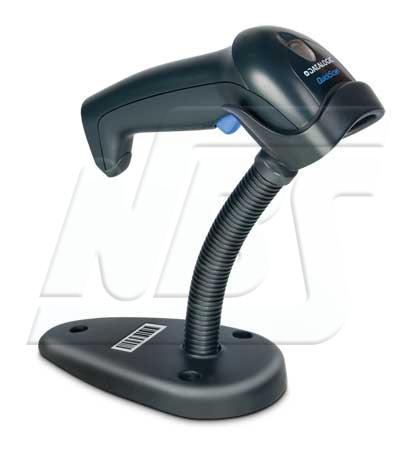
The choice also depends on which scanner is more convenient, with or without a stand. A stand at the cashier's workstation is always a good idea, as a constant flow of customers can significantly slow down the cashier, who is holding the scanner in one hand and the merchandise in the other. Another important point: when automating the checkout, priority will be given to installing a scanner with a motion sensor; the red beam will light only when movement is detected in the scanning zone. A constantly lit red beam on the counter can irritate both sellers and customers.
A handheld scanner can be connected to a computer or cash register using a USB interface, PS/2 via the keyboard wedge, and RS-232 via the COM port. The most specific connection option is RS-232. A simpler and more convenient option is a USB connection, since today every computer has a USB port. Today, 90% of all programs work seamlessly with USB and PS/2 interfaces. When choosing a scanner interface, you need to find out what connectors the equipment has and what interfaces the software supports.




 RSS Feed