Mobile printers are aiming to take a strong position in the segment of equipment used for trade automation. Retailers have come to the conclusion that these portable devices can not only optimize business processes and reduce additional costs, but also expand the range of services provided to customers.
Small but mighty
Mobile printers have earned high ratings in retail circles due to their versatility, as they are widely used in sales areas, warehouses, courier delivery, and on-site service.
Unlike a stationary printer, a mobile printer allows you to combine the place where the paper is used with the place where it is printed.
The use of such a portable device makes it possible to increase employee productivity. After all, useless trips to and from a stationary printer are eliminated, errors are reduced, and the opportunity to provide new services to customers becomes available.
After taking advantage of wireless technologies, retailers have found it easier to control prices and product movement. Mobile printers can solve a variety of problems: label products, print shelf tags, discount coupons, and receipts, conduct inventory and revaluation, allowing for prompt tracking of product movement and price adjustments.
The same prompt labeling or relabeling of products can also be performed in the warehouse. A label print job is generated by a mobile terminal based on the manufacturer's barcode read from the product or on a product acceptance request previously uploaded to the terminal or stored on the server.
Take-out
Mobile devices have also proven their worth in the field, where it is necessary to quickly print invoices, receipts, and sales receipts. While most of the disbursement documents for mobile sales are currently prepared in the office, practice shows that at the point of shipment, the forwarder often has to adjust them manually to reflect the actual quantity of goods being shipped. As a result, after the forwarding agent returns to the office, errors and confusion arise when entering actual data into the seller's information system.
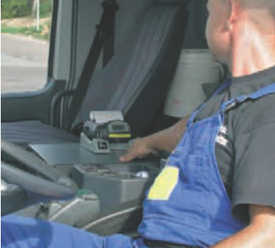
If a mobile terminal is installed in the delivery vehicle, documents can be reissued directly on the spot. After scanning the barcodes of the shipped goods, delivery notes are generated in the terminal, and a receipt is printed on the mobile printer that fully corresponds to the actual shipment data.
There is contact
As a rule, a mobile printer always works in tandem with a laptop computer (data collection terminal). The command to print a particular document template or label is carried out using software installed on the computer. The template is usually created using special software, which is produced by many companies.
When controlled directly from the terminal, the connection between the terminal and the printer can be carried out either via a wired (RS232 or USB) or wireless interface (Bluetooth or Wi-Fi), and when controlled from the server - via the Wi-Fi interface via an access point.
Convenient and reliable
This family is represented by portable thermal and thermal transfer printers, the weight of which is so insignificant that they can be used directly at the place of gluing the labels and exactly when it is needed according to the principle of "printing here and now". The presence of special straps allows for convenient fastening on the belt or on the shoulder. Mobile printers can also be securely mounted on a forklift. A special shock-resistant housing allows the printers to be used in harsh industrial environments. All portable printers have batteries with sufficient power, once recharged, to handle extended or even 24/7 printing. The printers are equipped with an energy-saving system. Replacing batteries does not require special skills; the operation is simple and convenient.
Applications
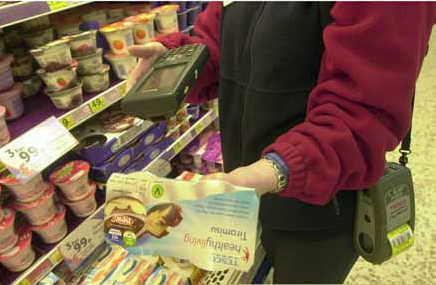
Retail
- printing price tags on shelves and labels for goods in the sales area.
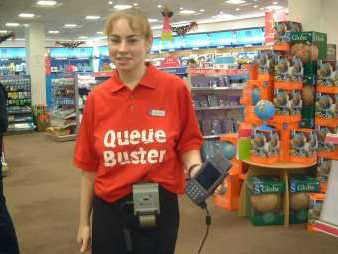
Queue reduction
- after scanning the barcodes of the selected goods, a preliminary receipt with the barcode of the order (a set of selected goods) is generated and printed. With this pre-check, the client quickly pays for the entire purchase at a special cash register without creating a queue.
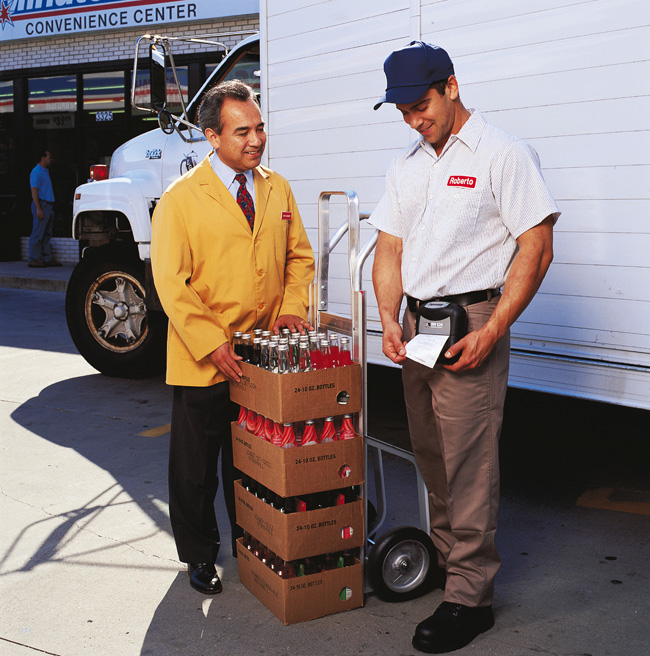
Mobile trade
- labels for carrying out field work,
- labels for marking external objects,
- printing of shipping documents,
- long-term archivable receipts,
- inventory marking, equipment operation work registration

Restaurants and bars
- printing of pre-receipts after accepting an order from a visitor.
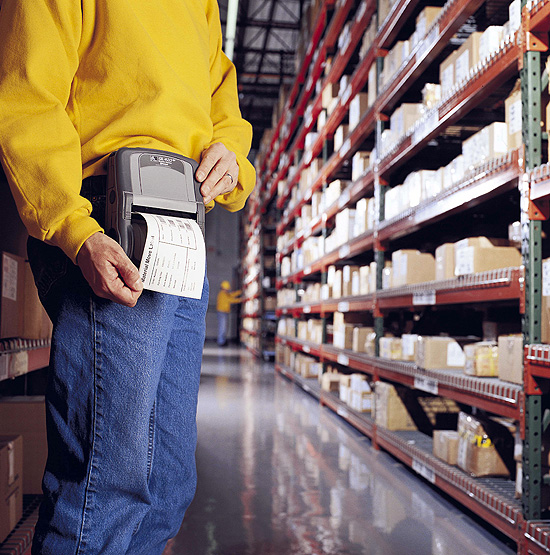
Warehouses
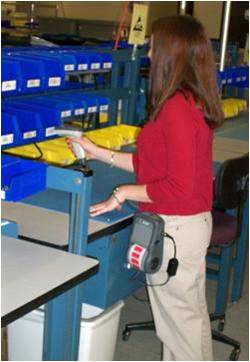
labeling of incoming products, as well as relabeling of stored products;
delivery and inventory control;
shipment - label sorting
keeping track of product expiration dates
keeping track of completed work
П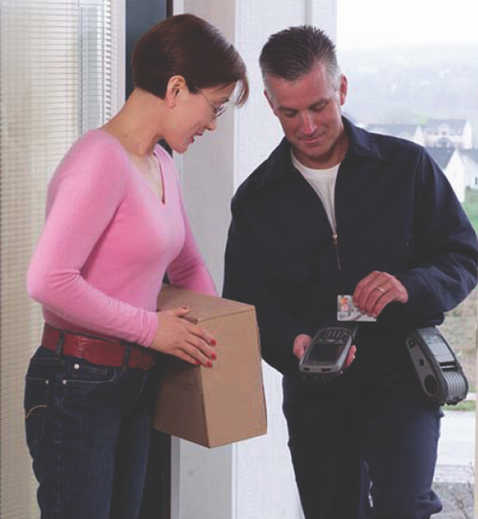 почта
почта
marking of parcels and packages directly at the place of acceptance,
Mobile generation of receipts and invoices for correspondence delivery.
Transport, logistics
Printing of travel tickets, parking receipts,
Documents for the receipt and delivery of goods during transportation
Shipping labels for large-sized items, labels for containers
delivery of products with subsequent shipment
Government organizations
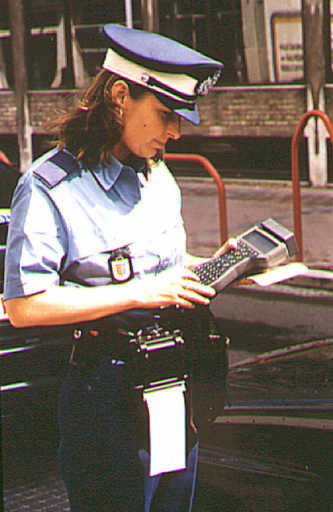
marking
Mobile printers are vying for a strong position in the retail automation equipment segment. Retailers have realized that these portable devices can not only optimize business processes and reduce additional costs, but also expand the range of services provided to customers.
Small but mighty
Mobile printers have earned high ratings in retail circles due to their versatility, as they are widely used in sales areas, warehouses, courier delivery, and on-site service.
Unlike a stationary printer, a mobile printer allows you to combine the use of paper media with the place where it is printed.
Using such a portable device can increase employee productivity. After all, useless trips to and from a stationary printer are eliminated, errors are reduced, and the opportunity to provide new services to customers becomes available.
After embracing the advantages of wireless technologies, retailers have found it easier to control prices and product movement. Mobile printers can solve a variety of problems: labeling products, printing shelf tags, discount coupons, and receipts, conducting inventory and revaluation, allowing for prompt tracking of product movement and price adjustments.
The same prompt labeling or relabeling of products can also be performed in the warehouse. A label print job is generated by a mobile terminal based on the manufacturer's barcode scanned from the item or on a product acceptance request previously uploaded to the terminal or stored on the server.
Take-out
Mobile devices have also proven their worth "on the road," where it is necessary to quickly print invoices, receipts, and sales slips. While most outgoing sales documents are currently prepared in the office, experience shows that the forwarder often has to manually adjust them at the shipping location to reflect the actual quantity of goods being shipped. As a result, errors and confusion arise when entering the actual data into the seller's information system after the forwarder returns to the office.
If a mobile terminal is installed in the delivery vehicle, documents can be reissued directly on the spot. After scanning the barcodes from the shipped goods, delivery notes are generated in the terminal, and a receipt that fully corresponds to the actual shipment data is printed on the mobile printer.
There is contact
As a rule, a mobile printer always works in tandem with a laptop computer (data collection terminal). The command to print a particular document or label template is carried out using software installed on the computer. The template is usually created using specialized software produced by many companies.
When controlled directly from the terminal, communication between the terminal and the printer can be carried out either via a wired (RS232 or USB) or wireless interface (Bluetooth or Wi-Fi), and when controlled from the server - Via Wi-Fi via an access point.
Convenient and reliable
This family includes portable thermal and thermal transfer printers, so lightweight that they can be used directly at the labeling location, just when needed, based on the "print here and now" principle. Special straps allow for convenient attachment to a belt or shoulder. Mobile printers can also be securely mounted on a forklift. A special shock-resistant housing allows for use in harsh industrial environments. All portable printers have batteries with sufficient power, once recharged, to perform long or even 24/7 printing. The printers are equipped with an energy-saving system. Replacing batteries does not require special skills, the operation is simple and convenient.
Applications
Retail
- printing price tags on shelves and labels for goods in the sales area.
Queue reduction
- after scanning the barcodes of the selected goods, a preliminary receipt with the barcode of the order (a set of selected goods) is generated and printed. With this pre-receipt, the client quickly pays for the entire purchase at a special cash register without creating a queue.
Mobile trade
- labels for field work,
- labels for marking external objects,
- printing of shipping documents,
- long-term archivable Receipts,
- labeling of inventory; registration of equipment operation work
Restaurants and bars
- printing of pre-receipts after accepting an order from a visitor.
Warehouses
-
labeling of incoming products, as well as relabeling of stored products;
-
delivery and inventory control;
-
shipment — Sorting labels
-
Keeping track of product expiration dates
-
Keeping track of work performed
Mail
-
marking of parcels and packages directly at the place of acceptance,
-
mobile generation of receipts and invoices for the delivery of correspondence.
Transport, logistics
-
printing of travel tickets, parking receipts,
-
documents on the acceptance and delivery of goods during transportation
-
Shipping labels for large-sized items, container labels
-
Delivery of products with subsequent shipment
Government organizations
 Industry
З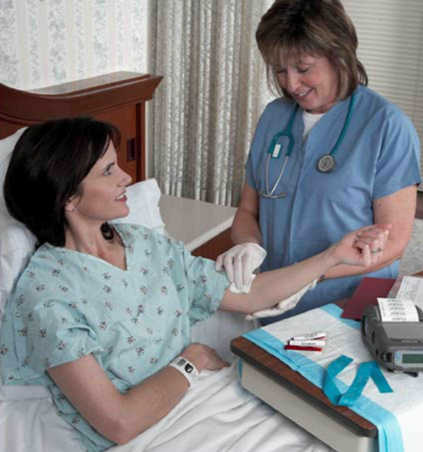 healthcare
-
prompt printing of bracelets for patient identification,
-
labeling of bags of donor blood,


 RSS Feed