The Tibbo company has released new firmware for the four-port interface converter! Now devices based on the EM1000 module (for example: DS1000) can work in the same way as a “regular” RS232 - Ethernet interface converter, but having up to four RS232 ports (422/485).
The firmware fully supports Tibbo software, such as DS Manager (version 5.4.6 beta and newer), VSPD (Virtual COM Port Driver), Connection Wizard.
How does it work?
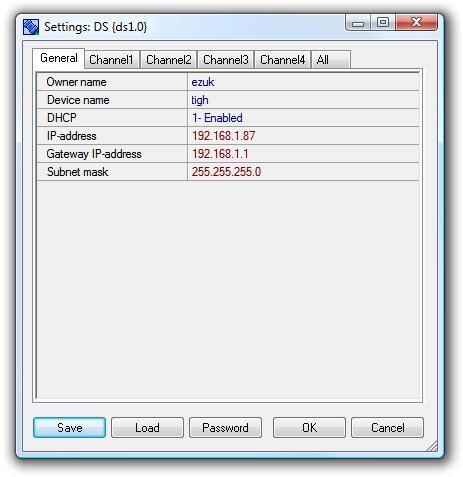
DS Manager sends a UDP broadcast request to the subnet, which EM1000 can now respond to. Further, DS Manager allows you to configure general network parameters (such as IP address, gateway, subnet mask) and channel properties (channels mean a combination of IP address, TCP/IP port, physical serial port of the RS232/422/485 interface), such as TCP/IP Ethernet port, protocol type (TCP/IP, UDP), operating mode (server/client), serial interface mode (full/half-duplex), parity, speed and many others.
On the control machine side, the virtual COM port driver is configured (VSPD), which associates a virtual COM port with the IP address and TCP/IP port of the converter. Now third-party software can access the virtual COM port as if it were a physical one. This is how the scheme is implemented:
Third-party software virtual COM port <--ethernet--> tibbo converter <--RS232/422/485--> serial device
Now, by configuring 4 virtual COM ports, you can simultaneously control 4 devices with serial interfaces from one or more machines using ONE converter based on the EM1000 module.
Web management interface.
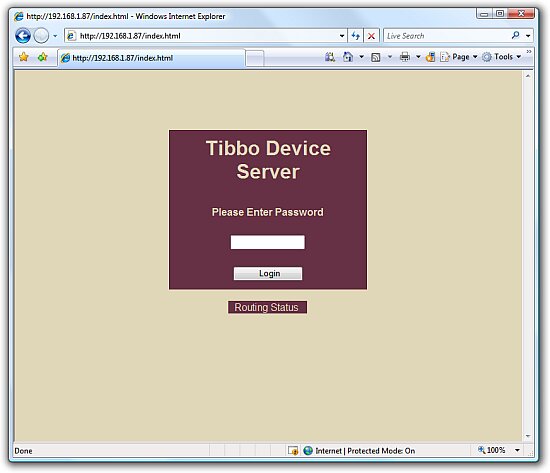
The firmware supports a web management interface. By typing the converter's IP address in the browser and entering the administrator password, you are taken to the device settings page.
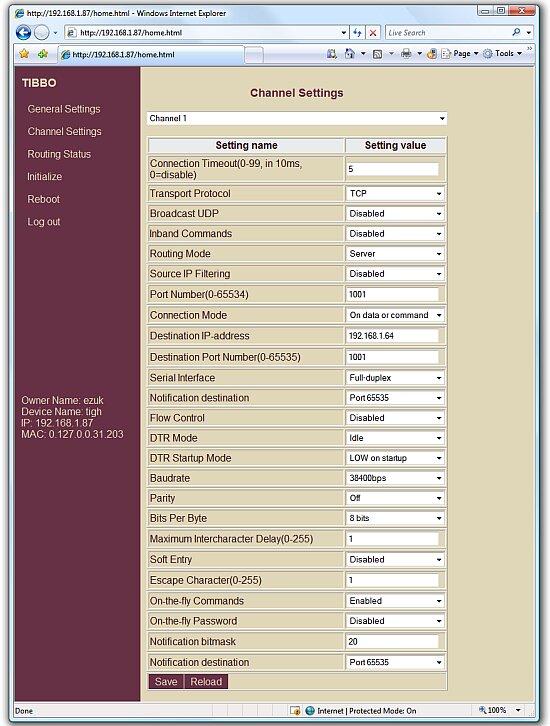
The web interface duplicates all the settings available in DS Manager and also allows you to monitor the device status (routing mode) online.
Thus, knowing the IP address, you can configure the converter from any computer on your network, and with an external IP address - from anywhere in the world!
Multiport operations.
The firmware fully supports the "multi-port" (multi-channel) principle. This means that using one 4-port converter, you can simultaneously access several RS232 serial devices from one or more remote machines.
The settings are very simple - the interface converter is assigned its own IP address. Then, each physical port of the serial interface is assigned a TCP/IP port. The connection between "IP address, TCP/IP port" is used to access the connected devices.
On the host computer side, virtual COM ports are created (using VSP Manager), each of which is bound to the IP address and the TCP/IP port of the converter. Virtual COM ports allow independent programs to work with remote devices as if they were connected to the computer via a "real" physical COM port.
Also, each "serial" device can be assigned to a specific machine, as shown in the diagram below (the color of the lines determines which device is connected to which machine):
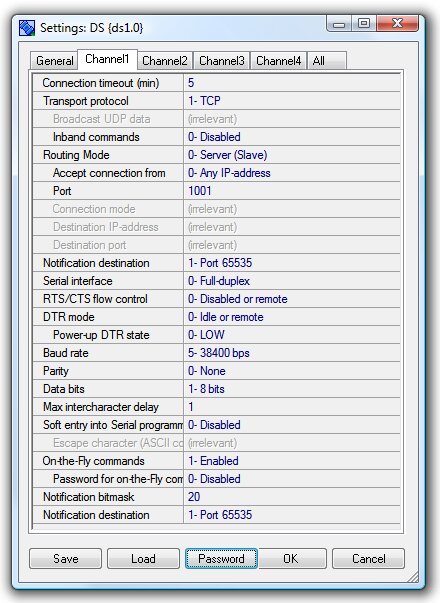
Below are screenshots of the configuration of one of the four channels. On the left, configuration is performed using the DS Manager program, on the right - using the web management interface (click on the image to enlarge).
Open source code.
The source code of this firmware is open. If necessary, you can edit it, supplement it, or use it as a basis for your own developments. For example, by changing the constant value in the device.tbh source file, you can specify your own number of configurable ports.
The firmware is distributed free of charge! You can download the firmware file and source code here.






 RSS Feed